Where to Put Your Google Review QR: Checkout, Table or Reception
A review plate only works if the customer sees it and knows what to do: a hidden QR does not get used. This guide tells you where to put it depending on your type of business (checkout, table or reception), how to place it at eye level, what text to add and which mistakes to avoid. It is written for a business with a single plate.
Where to put your Google review QR if you only have one plate
Put the plate where the customer already is, standing or seated, at eye level: next to the card terminal, on the table or at reception after the service. Choose one main spot and add a second only if you need it.
The table sums up the rule: the right spot depends on when the service ends in your business.
If you do not have a plate yet, see Yume's NFC review plate.
| Type of business | Best spot | When the customer sees it |
|---|---|---|
| Shop or store with a register | Next to the card terminal | When paying |
| Restaurant or cafe | Table, with checkout as a second option | During the visit and when paying |
| Clinic, salon or barbershop | Reception or counter | When the service ends |
Checkout: next to the card terminal
Checkout is one of the spots that QR vendor guides single out as top performing. Place the plate next to the card terminal, at eye level, facing the customer and with nothing covering it. One of those guides suggests a holder slightly above the card reader.
As a general reference, a guide cites a figure of 15 to 20% for the payment area. Treat it as a rough reference: it comes from a QR vendor, not an independent study, and your result depends on your customer flow. A QR hidden behind the register or below counter level does not get scanned.
Table: in view during the visit
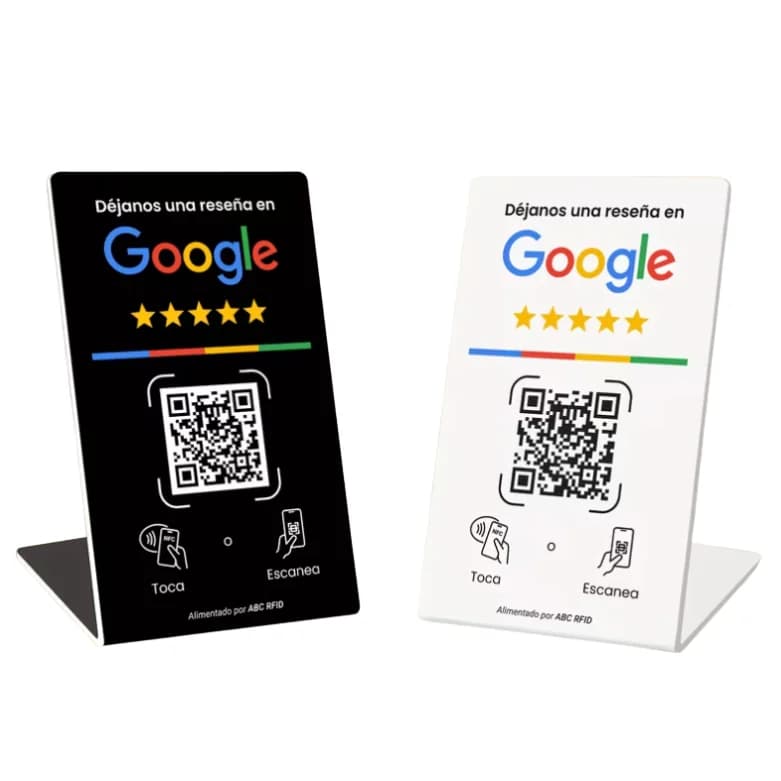
At restaurants and cafes, a table plate works when it sits in the line of sight of whoever is seated, without getting in the way of conversation or food. If the customer has to move plates or glasses to see it, it is in the wrong spot. For tables, a free-standing stand means nothing gets stuck down.
As a general reference, the same guide attributes 12% to table holders at restaurants, also a rough figure. If your business is a restaurant, see our guide to the Google review plate for restaurants.
Reception: after the service, never before
At clinics, salons and other businesses with a front desk, the plate goes on the counter or in the waiting area after the service, once the customer has lived the experience. Asking for a review before the service is premature, according to the vendor guide consulted, and there is nothing to review yet.
If you run a practice, we have a specific guide for the Google review plate for medical practices, and for salons or barbershops, the one on salons and barbershops. In both cases the plate goes in view of everyone, not only of those who seem satisfied.
What text to put next to the plate
Add one short line that says what to do. Without explanatory text, one vendor guide reports that scanning drops from 73% to 39%. Customers need to know it is for leaving a review and that they only need to tap their phone or scan.
Two short texts that guide suggests: at the counter, “How was your visit? Scan to leave a quick review”, and at the exit, “Thanks for coming. Scan and tell us how we did”. If you also mention the plate out loud, the guide estimates up to 40% more scans, another vendor figure.
Mistakes that make nobody use it
The most common mistakes are hiding the plate behind the register or below counter level, leaving it without text, filling the place with different codes, and asking for the review before serving. Any of them is enough for the customer to not see it or not know what to do with it.
More plates is not better: several codes in the same place confuse people, and two or three spots are enough. To choose between NFC and a printed QR, see the comparison of an NFC plate vs printed QR.
How to ask without incentives and from every customer
Google prohibits offering payments, discounts, or free goods and services in exchange for reviews, and also asking only certain customers for positive reviews. So the plate should be visible to everyone, with neutral text and no promotion tied to the review. Asking for authentic reviews without an incentive is allowed.
A fixed plate in a visible spot helps reviews arrive steadily instead of all in one day. To see how to prepare your profile, read how to ask for Google reviews.
Plate or stand: which one fits each spot
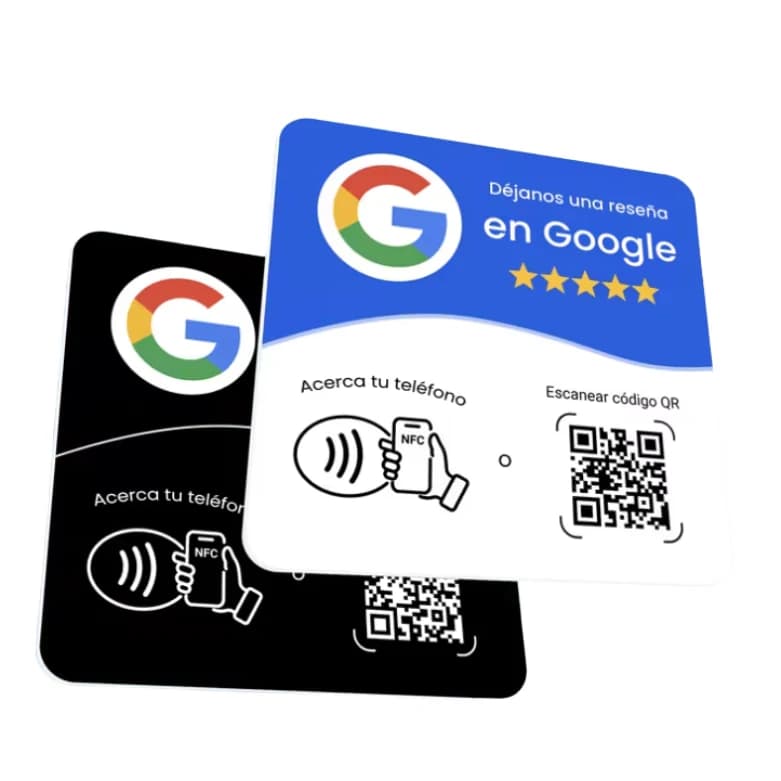
If the spot is a counter or register where you can stick things, the plate with adhesive is the natural choice. If it is a table where you do not want to stick anything, the stand stands on its own. Both arrive programmed with your business's review link, so you choose by surface, not by function.
See the NFC review plate for checkout or reception and the NFC review stand for tables.
After choosing the spot: what Yume's plate includes
Yume's plate arrives already programmed with your business's review link and with the backup QR printed on it, so the customer can tap their phone or scan the QR from the same spot. It is a one-time payment, with no subscription and no app.
To compare the cost with other options, read one-time price vs subscription. If you wonder whether your customers' phones can read it, see whether an NFC plate works on iPhone and Android. When yours arrives, follow how to use your Yume plate.
Frequently asked questions
Where the customer already is, standing or seated, at eye level: next to the card terminal in a shop, on the table in a restaurant, or at reception in a clinic, salon or barbershop.
It is not a good idea: there is nothing to review yet. It is better for the customer to see the plate when the service ends.
For tables, the stand: it stands on its own and nothing gets stuck down. The plate has adhesive and fits better at a register or counter.
No. Under Google's policy, offering payments, discounts or free goods and services in exchange for reviews is prohibited. You also cannot ask only selected customers.
No. They come from a QR vendor's guide, not from an independent study. Use them only as a reference.
No. It is a one-time payment, with no subscription and no app, and it arrives programmed with your business's review link.
Keep reading
- How to Use Your Yume Google Review Plate: No Setup Needed
- Google review plate for restaurants
- Google review plate for medical practices
- NFC Plate vs. Printed QR Code: Which One Should You Use for Reviews?
- Google review plates: one-time price vs monthly subscription
- NFC Plate on iPhone and Android: What to Know
Order it now